
How to Create an ABAP® Project in Teamscale
After the SAP system connection is specified and the code retrieval was executed for the first time, you can create projects for analyzing the ABAP code of the respective SAP NetWeaver system.
General Option Reference
This guide only covers the options specific to the ABAP connector. A general overview of connector options is available here.
Creating the Project
The creation of projects follows the standard project configuration, using the ABAP connector and an ABAP-specific analysis profile.
ABAP Connector Configuration
Technically, Teamscale creates an ABAP repository directory inside the Teamscale repository clone directory. This directory contains a Git repository for every SAP system. To connect projects with these git repositories, we recommend to use our specific ABAP connector. In comparison to the plain Git connector, the ABAP connector simplifies selection of an SAP connection by providing a dropdown list that includes all available connections. Additionally, the ABAP connector is reduced to the essential configuration options. For example, the Default branch option from the Git connector is missing, as ABAP Git repositories do not use branching.

Note that the settings to include/exclude source code are specified using the parameters Included file names and Excluded file names, which refer to the file paths within the internal Git repository of the ABAP source code. The path consists of the full package hierarchy and source code files suffixed with .abap. Furthermore, the slashes at custom namespaces are replaced by an exclamation mark, thus /XYZ/ is replaced with !XYZ!. This tables states some examples of patterns for including and excluding ABAP source code. The patterns you use for Included file names and Excluded file names are listed in the connector options reference.
ABAP Dictionary (DDIC) Objects
Besides the ABAP source code in *.abap files, also textual representations of objects defined in the ABAP Dictionary (DDIC) are retrieved from the SAP system. These dictionary objects are stored in *.abap_ddic files. Adding these files to the project will allow to identify dependencies from ABAP source code to ABAP dictionary objects and between dictionary objects when performing architecture conformance analysis. The textual representation of structures and database tables is the same as used in the source code-based editors of the ABAP Development Tools for Eclipse (available from SAP NetWeaver 7.51 or 7.52 on, respectively). For older SAP NetWeaver versions and further dictionary objects, a similar notation is used in Teamscale. As in Teamscale the only purpose of the dictionary objects is to perform architecture conformance analysis, .abap_ddic files will only contain the required information to identify dependencies and omit further attributes.
This table contains typical examples for including and excluding ABAP Dictionary objects: Patterns for these files are listed in the connector options reference.
Additional Analysis Configuration for SAP
This section describes additional configuration steps required for specific analyses in Teamscale, namely the upload of SAP Code Inspector findings and the usage of coverage results for test gap analysis.
Grouping Changes by Transport Request or Task
If your development workflow is centered around transports and tasks, you can use Teamscale to easily group all changes belonging to the same transport into one view. To do that, add a connector or type Issue Tracker > Commit Message Issues in the project creation / edit dialog with the following configuration:
- Issue ID pattern:
Request ([A-Z0-9]{10})[ :]|Task ([A-Z0-9]{10}): - Issue subject pattern:
[^:]+:(.*)
These patterns will extract all requests and tasks. If you are only interested in one of these types, you may remove the other from the Issue ID pattern.
After project creation or reanalysis, the Activity > Issues view will be populated, and all entries in Activity > Commits will reference the respective request and/or task.
Code Inspector Settings in Project Configuration
To actually include findings from SAP Code Inspector in a Teamscale project, the following must be configured:
- In the analysis profile, Code Inspector must be enabled as an analysis tool.
- Under the expert options of the ABAP connector, the Analysis report mapping rule
**.sci -> SAP_CODE_INSPECTORmust be specified (Note: by default, it is).
If the above is correctly configured, findings from SAP Code Inspector should be visible in Teamscale just like other findings and are updated simultaneously with every code change. Note that during change polling, only changed repository objects are analyzed by SAP Code Inspector. New findings from Code Inspector which affect unchanged objects will only be visible after the next full synchronization.
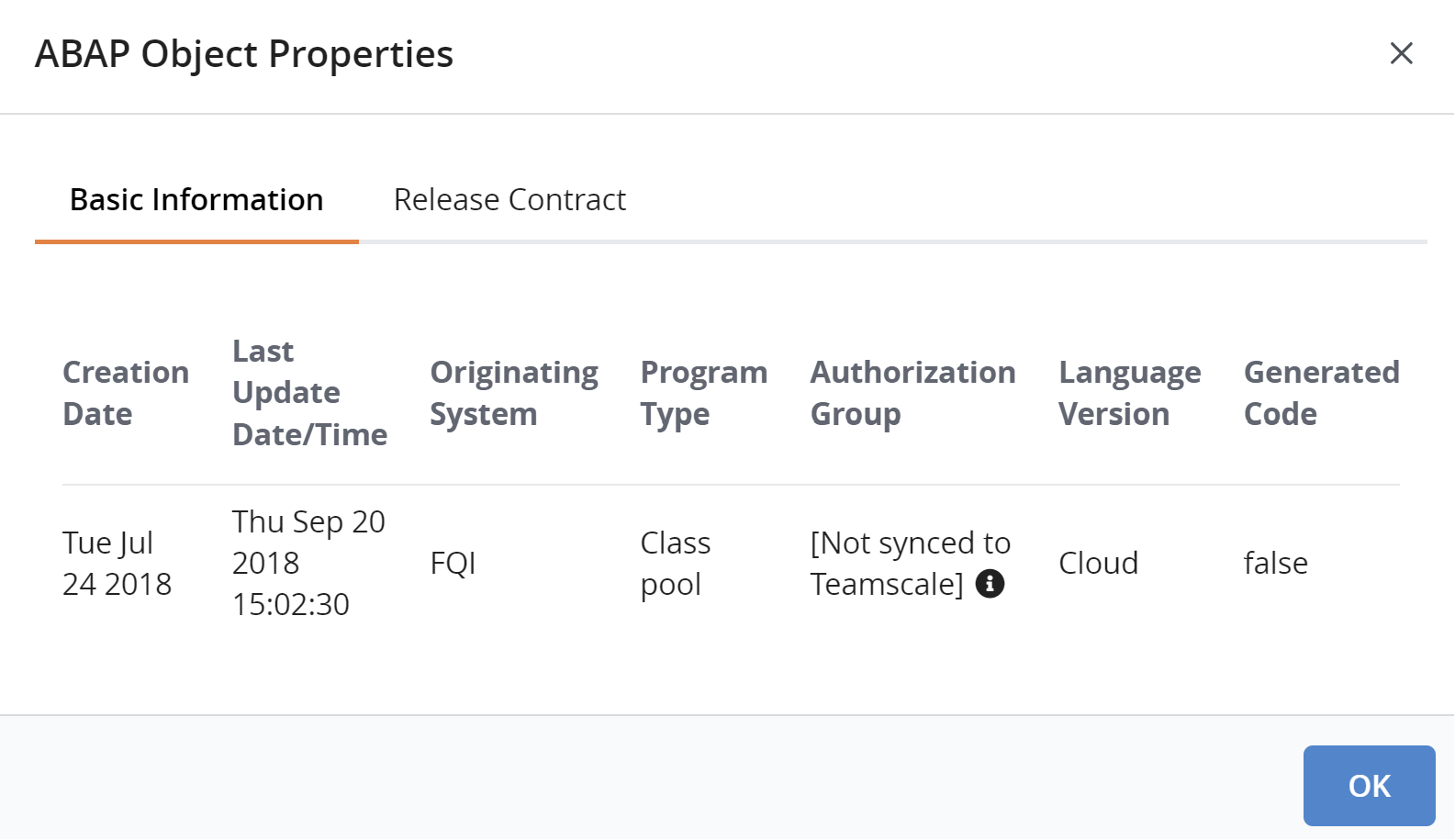
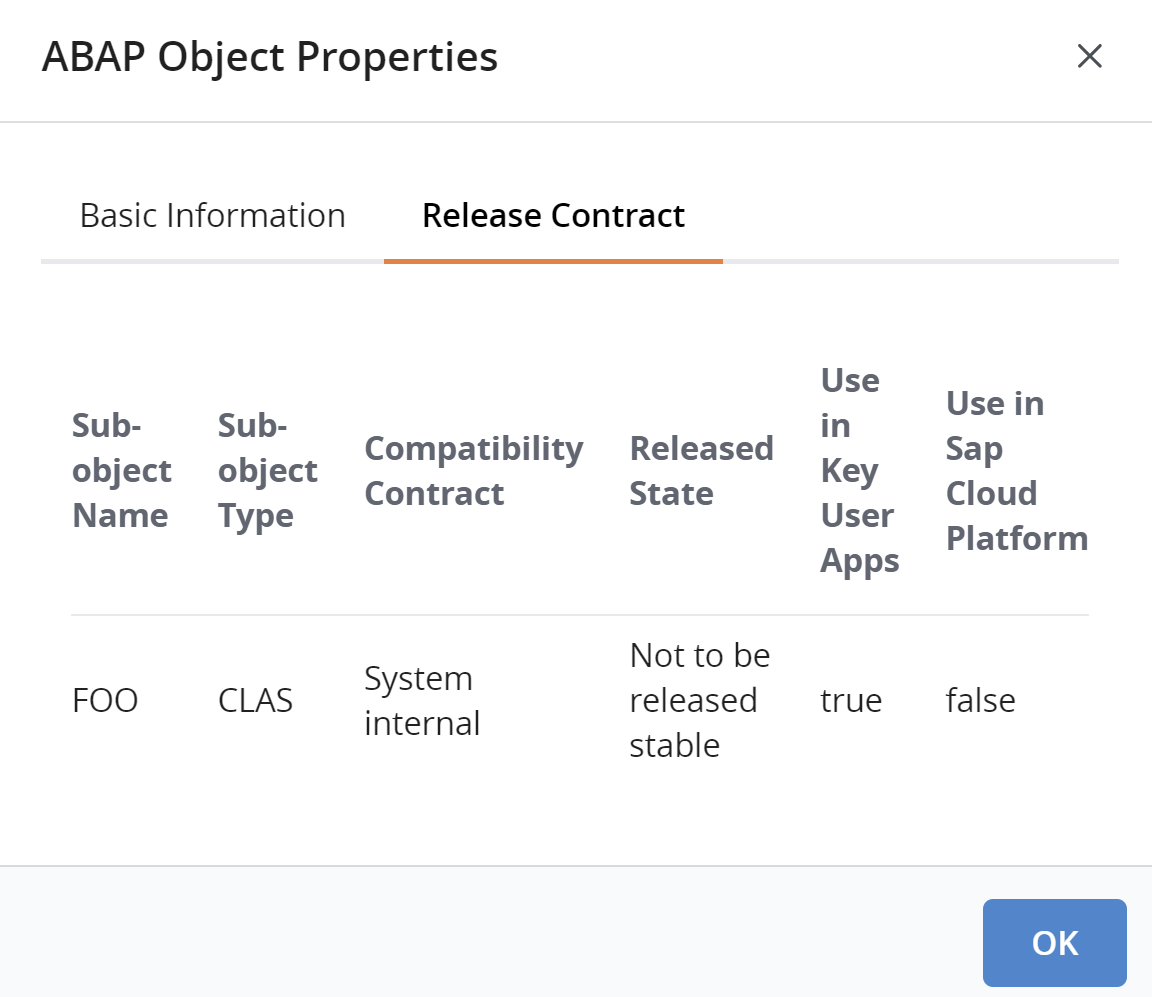
Properties of ABAP Code Objects
On SAP systems, developers are able to view various information about code objects. However, doing so requires considerable efforts in knowing
- in which database tables they are stored and formulating SQL queries to retrieve them; or
- which user interfaces display them; or
- which APIs are utilized internally to retrieve them.
Teamscale saves ABAP developers these efforts by retrieving the information. A user can later see them on the Code view by clicking Actions > Abap object properties.
Git-based ABAP development (gCTS, abapGit)
While using Teamscale with the above-mentioned Teamscale Connector for SAP NetWeaver® AS ABAP® provides the best out-of-the-box experience and the most features, some organizations already use Git-based workflows. For these, the following paragraphs outline how well Teamscale integrates with Git repositories created by abapGit or gCTS.
abapGit
As we use abapGit ourselves to develop in ABAP, we make sure that Teamscale supports analyzing Git repositories created with abapGit. Depending on the particular Git hosting platform you use, please use the respective repository connector and enjoy full support for features like pull request integration.
Git-based CTS (gCTS)
Although technically, gCTS repositories are Git repositories, they are not suited for code analysis. Therefore, we do not recommend connecting Teamscale to a gCTS repository unless SAP implements the ABAP File Formats specification in gCTS. Depending on your particular environment, please use one of the following approaches to analyze ABAP code using Teamscale:
- SAP NetWeaver AS ABAP: Teamscale Connector for SAP NetWeaver® AS ABAP®
- SAP Cloud ERP Private: Teamscale Connector for SAP NetWeaver® AS ABAP®.
- SAP Cloud ERP: abapGit.
- SAP BTP ABAP Environment: abapGit.