
Builds View
In the context of Software Composition Analysis, a build represents a build artifact, such as a module, a service, a binary or the output of a CI job, whose included libraries are scanned for vulnerabilities and policy violations. A build is either registered in a connected SCA tool (e.g., JFrog Artifactory) or created by uploading a vulnerability report for it. Each build can have multiple versions, corresponding to successive builds of the same artifact.
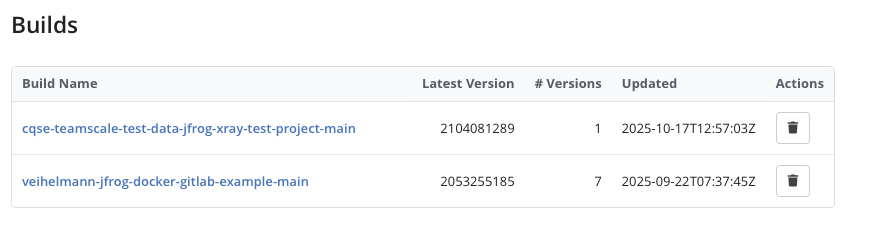
The Builds view lists all builds that Teamscale has imported from the configured Software Composition Analysis connector or that were uploaded as vulnerability reports.
Build Versions
Clicking a build name opens the Build Versions view, which lists all imported versions for that build. Each version shows its version identifier, the number of policy violations, and the creation timestamp. For uploaded vulnerability reports, the version identifier is the build version you passed when uploading. See Choosing Build Name and Build Version for how to choose it. Clicking a version navigates to the Build Details view.
Build Details
The Build Details view shows the scan results for a specific build version. It is organized into tabs:
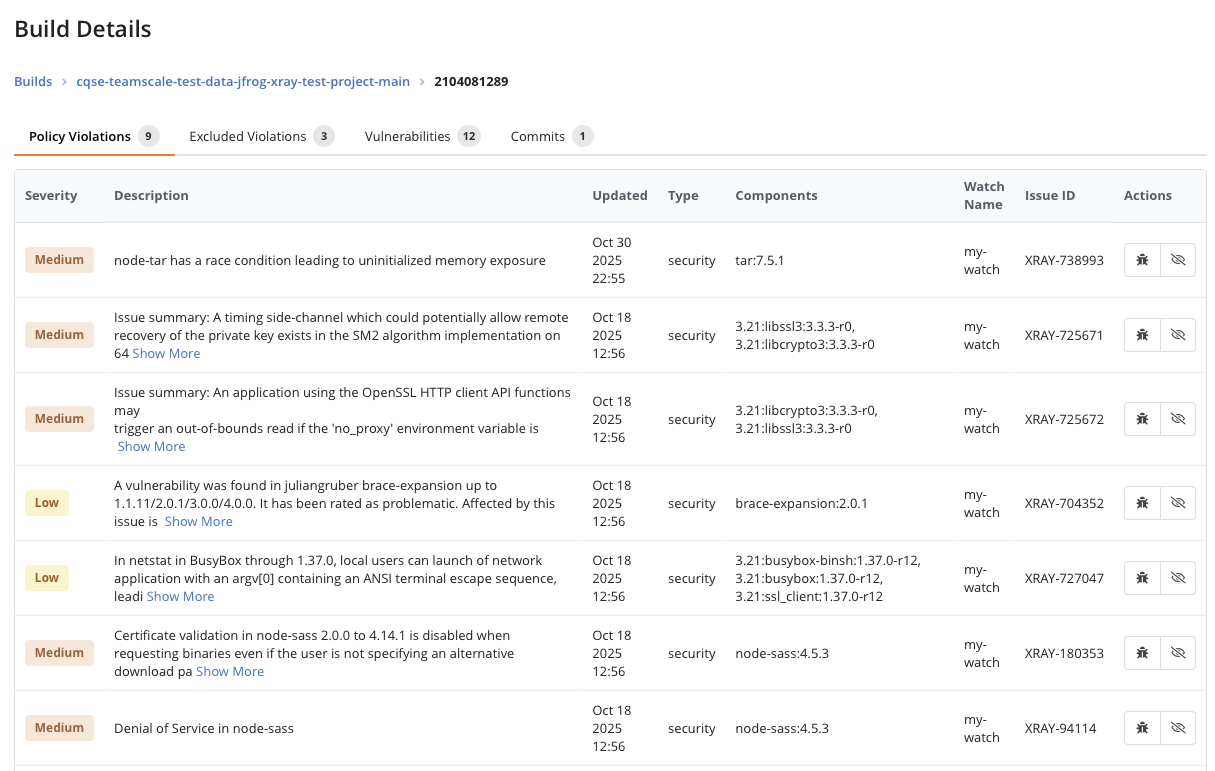
- Policy Violations: Lists the policy violations reported by the SCA tool for this build version. Each violation shows its severity, description, affected components, and the Xray Watch that triggered it. You can mark violations as tolerated or false positive directly from this tab.
- Excluded Violations: Shows violations that are matched by an active exclusion rule. If the exclusion approval workflow is enabled, a Pending Violations tab appears for violations with rules awaiting approval.
- Vulnerabilities: Lists the individual vulnerabilities detected in the build's dependencies, including CVE identifiers, severity, and a description.
- SBOM: For build versions uploaded as an SBOM, lists the components (third-party dependencies) contained in that SBOM. The tab is labeled with the number of components and only appears when an SBOM was uploaded for the version. See the SBOM view for the columns shown.
- Commits: Optionally shows code commits associated with this build version (if any). This link between builds and commits allows you to trace which code changes are included in a specific build.