
AI Test Clustering Beta
AI Test Clustering ranks the tests of your test suite by how dissimilar their content is, so that the top-ranked tests cover a wide range of functionality. Use it to build an optimized smoke test suite that catches most bugs in a fraction of your usual test runtime, and to find the redundancy that has accumulated in your test suite over the years.
The following topics will be covered in this guide:
Why Test Suites Contain Redundancy
Many industry software systems have test suites that are years or even decades old. When testers need a new test case, they often create it by duplicating an existing similar test case and making minor modifications to it. Repeat this over many years and you end up with a test suite filled with test cases that largely do the same things over and over again.
That redundancy costs you twice. You pay for it on every test run, because near-identical tests rarely find bugs that their siblings would not have found anyway. You pay for it again every time the application changes, because a change to one screen or workflow forces you to edit every duplicate that touches it. And you pay for it in one lump sum whenever you have to move the whole suite, for example when migrating to a different test automation tool.
Prerequisites
AI Test Clustering has two prerequisites:
- An administrator must configure an AI model provider that offers an embedding model, as described in AI Model Providers.
- Teamscale must recognize the implementations of your tests. If your test framework is not supported out of the box, you can declare your tests as generic file-based test implementations.
How AI Test Clustering Works
Teamscale sends the text of each test case to an AI embedding model, which turns it into an embedding: a vector of numbers representing the semantics that the model extracted from the test case's text. Semantically similar test cases receive similar vectors, so tests that are redundant to each other end up close together. Teamscale clusters these vectors and then orders the tests so that the least redundant ones come first.
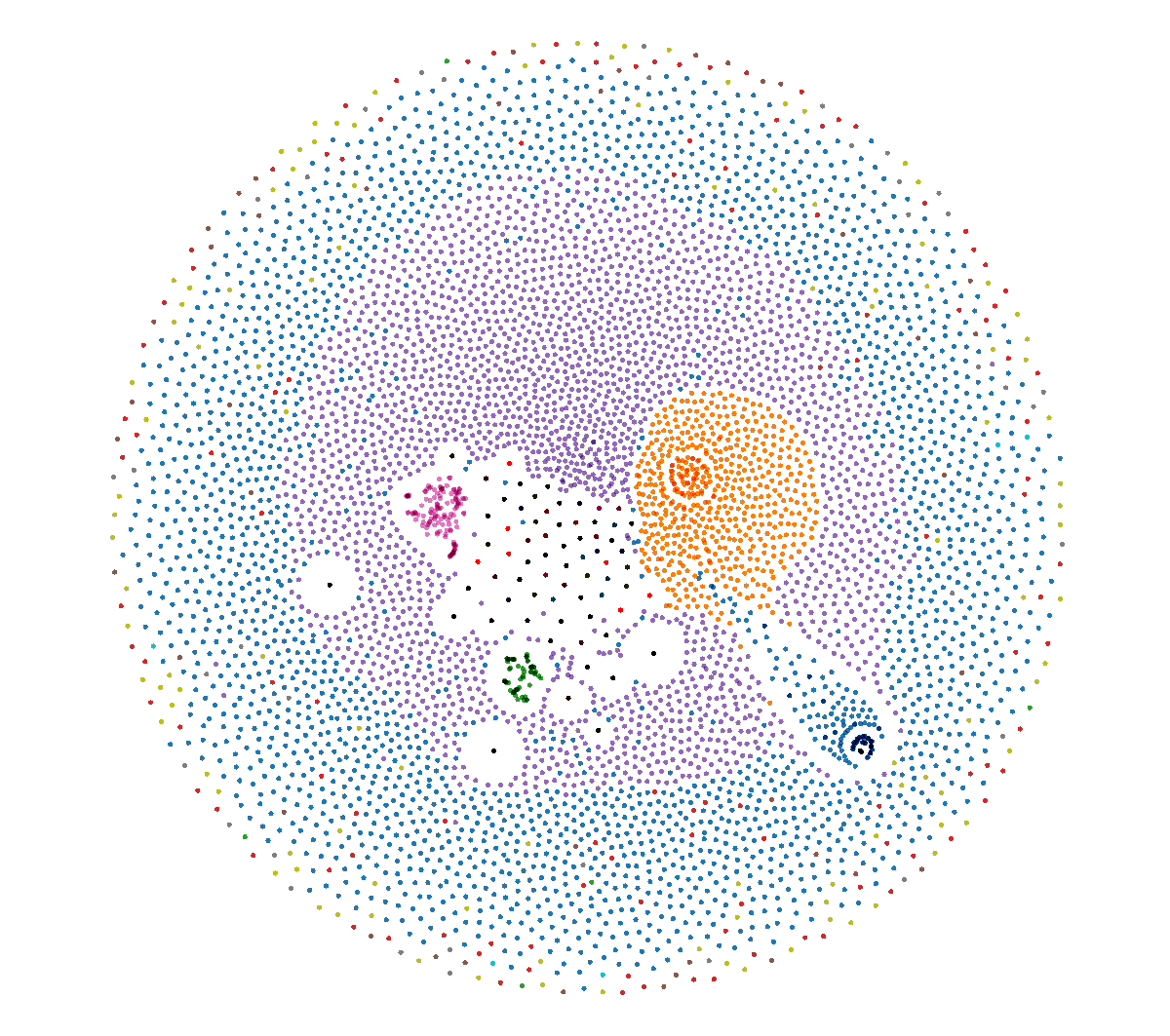 Embeddings of 6600 Robot Framework tests, projected into two dimensions. Each dot is one test case, and each color is a cluster of tests that the model considers similar to each other.
Because embedding models handle both source code and natural language, this works for automated and manual test cases in most languages and formats.
What This Gives You
Research at Technical University of Munich evaluated AI Test Clustering on both open source and industry software systems, using the historic bugs they contained (see Further Reading). The studies show that the technique produces close-to-optimal test coverage for any given time budget. On average, only 13% of the total test-suite runtime is needed to find 90% of the bugs that the entire test suite can find.
For testers, this means much faster feedback. Run the top-ranked tests on every pull request, so that most bugs are caught before the change is merged, and keep the full test suite for nightly or release runs. A bug that used to surface the next morning surfaces within the hour instead, while it is still cheap to fix.
Or be bold and throw away all the redundant tests to save 90% of your daily test maintenance while still finding almost the same bugs. This frees up your time to write new, better tests.
Building an Optimized Smoke Test Suite
Open the Test Suggestions perspective and switch to the Change-Independent view.
- Use the test query filter to select the tests that should be considered as candidates. You can narrow the candidates further by name, duration, result, and test sources.
- Click Suggest Tests.
- Open the Content-Based Suggestions tab, which holds the AI Test Clustering ranking.
- Set Number of tests (budget) to the size of the smoke test suite you want. The maximum execution time of the selection is shown next to the selector, so you can trade suite size against runtime.
- Use Download CSV to export the selected tests and hand them to your test runner or test management tool.
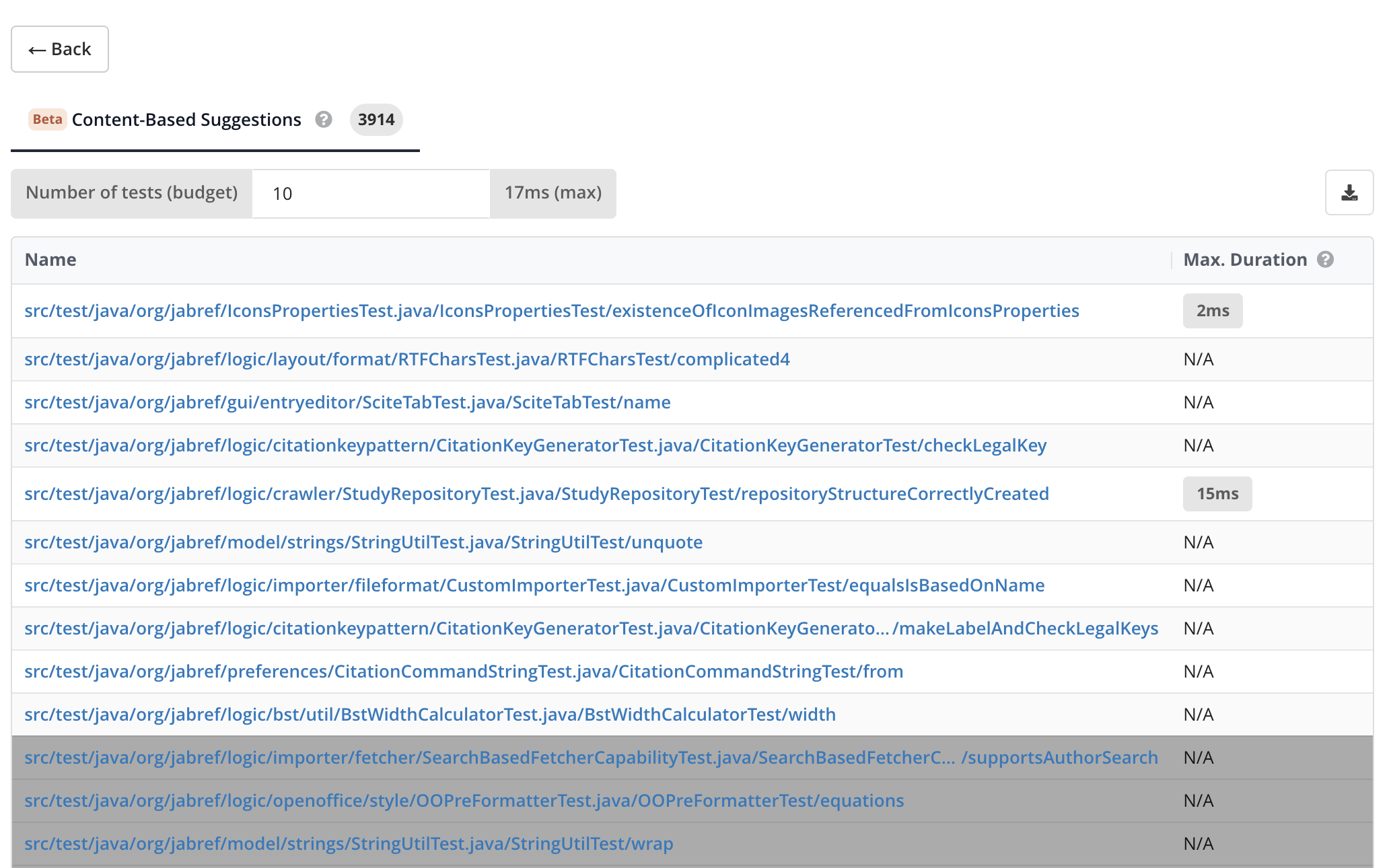 The Content-Based Suggestions tab ranks the candidate tests so that the top-ranked tests cover a wide range of functionality. Tests beyond the selected budget are de-emphasized.
Run the resulting smoke test suite on every pull request, so that most bugs are caught before the change is merged. You can also use it as a quality gate to ensure your software is fit for a larger, more expensive test stage such as manual or hardware-in-the-loop testing.
Reducing Redundancy in Your Test Suite
The same ranking tells you which tests carry their weight and which ones mostly repeat what other tests already do. This is useful whenever you have to decide how much of a test suite is worth keeping:
- When migrating to a different test automation tool, migrate the top-ranked tests first. You regain most of the original test suite's bug-finding power as early as possible, and you can stop once the remaining tests no longer justify the migration effort.
- When cleaning up a historically grown test suite, the tests at the bottom of the ranking are the candidates to retire.
The model sees only the content of your tests, so you can use the following measures to validate the ranking before you act on it:
- Test-coverage measurements confirm that the reduced test suite still covers the same areas of your code as the full test suite. Decide up front how much of the original coverage you want to retain, and check the selection against that target. For this, record coverage for both the full test run and the reduced test suite and upload each to its own partition. See Setting Up Test Coverage Profiling for how to record that coverage. Then use the Coverage Overlap Treemap dashboard widget to see how much coverage the selection retains.
- Expert assessment by your testers covers everything the model cannot see, such as the business impact of individual test cases, the criticality of particular features, or how visible a feature is to end users. Have your testers inspect the selection and swap out a less critical test for a more critical one where needed.
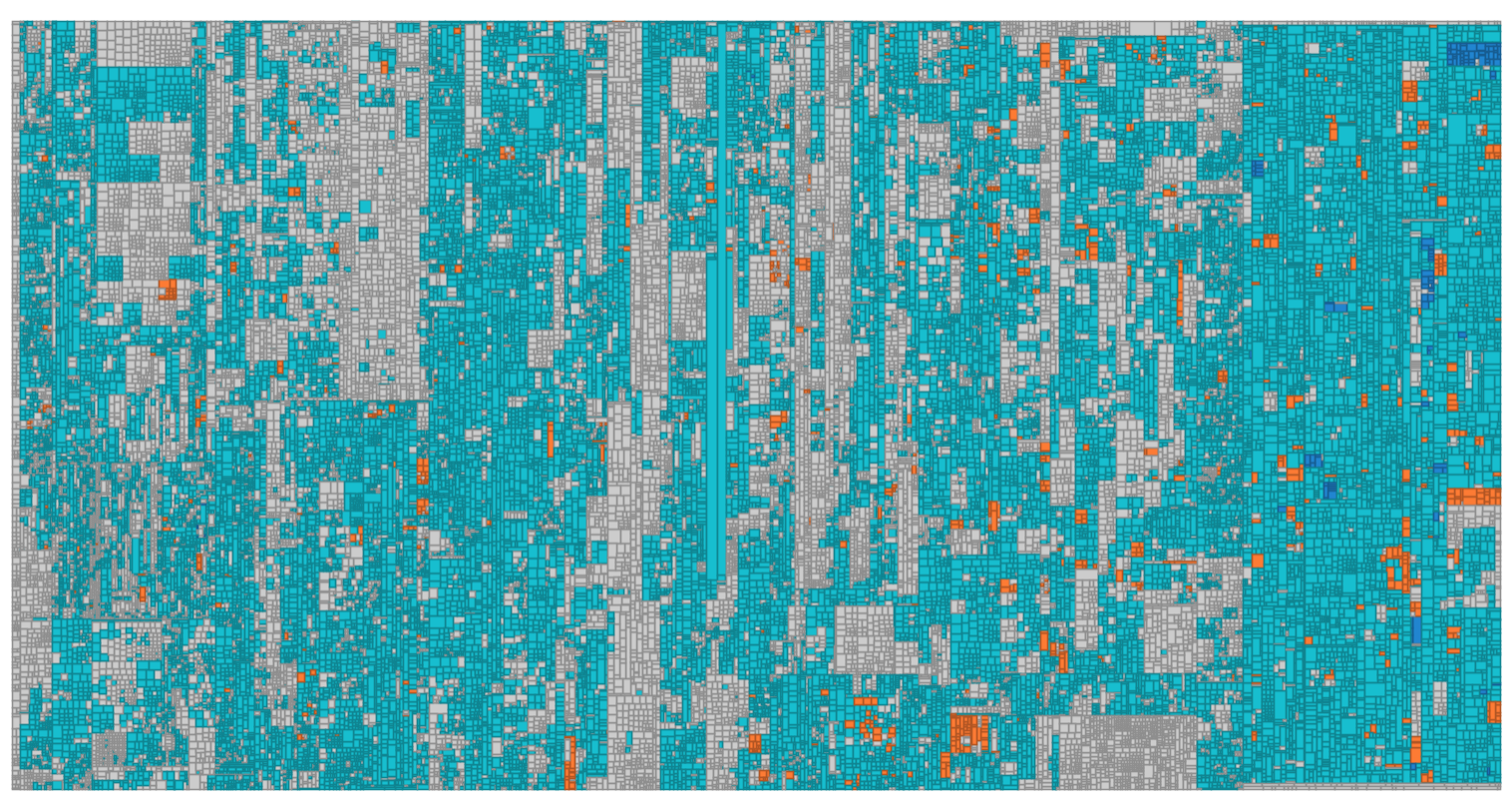 Coverage of a test suite reduced by AI Test Clustering, as a treemap of the whole code base. (Light) Blue is code that the reduced suite still covers. Orange is the small remainder that loses its coverage when the redundant tests are discarded.
Choosing Between AI Test Clustering and Pareto Optimization
Teamscale offers a second way to build a smoke test suite, Pareto Optimization. Both produce a ranked list of tests, but they optimize for different things:
- AI Test Clustering optimizes for functional diversity, based on the content of your tests. It requires no testwise coverage, so you can use it right away.
- Pareto Optimization optimizes for code coverage within a time budget, based on measured testwise coverage. It requires you to record and upload testwise coverage first, but its ranking is grounded in what your tests actually execute.
If you already have testwise coverage, compute both rankings and compare them. If you do not, start with AI Test Clustering.
Reference Documentation
- Content-Based Suggestions (AI Test Clustering) documents the result view in detail.
- Test Suggestions perspective documents all test suggestion techniques, including the change-based ones.
- AI Model Providers documents how to configure the embedding model and how to monitor AI usage and cost.
- Using AI Assistance gives an overview of all AI-assisted features in Teamscale.
Further Reading:
- An Investigation on the Usage of Source Code Embeddings in Test Case Prioritization and Selection
Master's Thesis, Technical University of Munich. A. Escher.