
Update Notices for Teamscale 2026.5
2026.4 Security: Teamscale now validates the OpenId Connect tokens using the identity provider's JSON Web Key Set (JWKS)
Action Required: Manual Configuration for OpenID Connect
To enable token signature validation, admins must manually provide the JWKS URL from their Identity Provider. Without this step, the new security validation will not be active.
Steps to Update:
- Go to Admin > Settings > Authentication
- Edit your OpenID Connect configuration
- Add your Identity Provider's JWKS URL and save
2026.4 Security: External Content dashboard widget sandboxed by default
The content rendered by the External Content dashboard widget now has sandbox="" set by default. This blocks scripts, popups, downloads, top-level navigation, form submission and same-origin access from within the embedded page. The change addresses a security risk where a malicious embedded site could redirect users (phishing), execute JavaScript (drive-by exploits) or trigger malicious downloads from within Teamscale.
As a consequence, embeds that rely on JavaScript (e.g. dashboards from other tools) will no longer render. If you need such embeds, an administrator can opt back in by enabling Allow dynamic content in External Content Widget under Admin > Settings > Server Settings > Dashboards.
Security note: enabling this option allows embedded pages to execute arbitrary JavaScript and access their own origin. Only enable it if all URLs configured in External Content widgets across all dashboards are trusted.
2026.4 Renamed Java profiler Docker image to cqse/teamscale-java-profiler
Teamscale's Java profiler was thus far published under the name cqse/teamscale-jacoco-agent. To ensure consistent and clear naming of our profilers, we are renaming it to cqse/teamscale-java-profiler. This brings it in line with the naming for our .NET and JavaScript profilers. We will continue to publish updates for the Java profiler under both names until the end of September 2026. After that, updates will only be published under the new name.
Thus, we advise you to change the name of the Docker image you use to cqse/teamscale-java-profiler. The versioning scheme remains the same.
2026.4 Oldest supported IntelliJ raised to 2023.3
The oldest supported version for the IntelliJ plug-in was raised to version 2023.3.
2026.4Deprecated Teamscale Jira Gadget
The Teamscale Jira Gadget is now deprecated and will be removed in version 2026.6.
2026.4 Default log4j2.yaml has changed
The default log4j2.yaml shipped under config/log4j2.yaml has changed in 2026.4. If you have customized this file in your installation, please review the new default and merge in your changes manually — otherwise the new defaults will be lost on upgrade.
You can download the new default configuration here:
2026.3 Removed PDB processing and related services
The ability to upload PDBs and raw .NET trace files for tracking line coverage has been removed with version 2026.3.
2026.2 Removed AllowAll Authenticator
For security reasons, the AllowAll Authenticator has been removed with version 2026.2.
2026.1 Java 25 Required (Teamscale server application)
Starting with version 2026.1, the Teamscale server will require Java 25 to be executed.
Action required: In case you are not using a Docker-based deployment, please make sure to update the JRE used for executing Teamscale to Java 25.
2025.9 Removed Base Configuration for Threshold Configurations
The ability to define a Base Configuration for a Threshold Configuration has been removed with version 2025.9.
2025.9 Removed the movetolastcommit query parameter in all 'External Analysis' API endpoints
The movetolastcommit parameter was no longer needed and has been removed with version 2025.9 to avoid confusion for all the 'External Analysis' API endpoints:
- Create a Session:
POST /api/projects/{project}/external-analysis/session - Upload External Report(s):
POST /api/projects/{project}/external-analysis/session/{sessionId}/report - Upload External Analysis Data:
POST /api/projects/{project}/external-analysis/session/{sessionId}/external-analysis-import-infos - Upload External Findings:
POST /api/projects/{project}/external-analysis/session/{sessionId}/external-findings - Upload External Metrics:
POST /api/projects/{project}/external-analysis/session/{sessionId}/external-metrics - Upload Non-code Metrics:
POST /api/projects/{project}/external-analysis/session/{sessionId}/non-code-metrics
2025.7 Removed SPCop Upload Format
The SPCop upload format has been completely removed with version 2025.7.
2025.5 Removed Legacy API: Pre-Commit 2 REST API
The pre-commit 2 REST API, unused by Teamscale's own IDE plug-ins since version 9.3, has been completely removed with version 2025.5.
Action required: If you are using the API to make pre-commit requests, either update to the new /api/projects/{project}/pre-commit3 REST API or, preferably, use the command-line client for developers (teamscale-dev) to perform your requests.
2025.4 Removed feature: Timespan-based threshold configurations
The Timespan-based threshold configurations section of the "Threshold Configuration List" project option has been removed, as this functionality caused inconsistencies when combined with certain other features and was rarely used. This change does not affect the project's default threshold configuration.
Re-Analysis when Upgrading
- When updating from 2026.5.x, drop-in.
- When updating from 2026.4.x or earlier, a full re-analysis via backup is required.
What's New for Teamscale 2026.5
Test Impact Analysis for AI Coding Agents
Teamscale now brings Test Impact Analysis to AI coding agents, so an agent can run only the tests relevant to its changes instead of the entire test suite. The new fetch-impacted-tests command in teamscale-dev returns the tests impacted by a set of changes, using either test-wise coverage or similarity-based scoring. Through the Teamscale Claude Code plugin, an AI coding agent uses this to automatically select and run the impacted tests after modifying code, giving fast and targeted feedback while keeping the developer in control. Of course, the fetch-impacted-tests command is equally useful outside of AI workflows, for example to run only the relevant tests locally before committing.
Web Interface
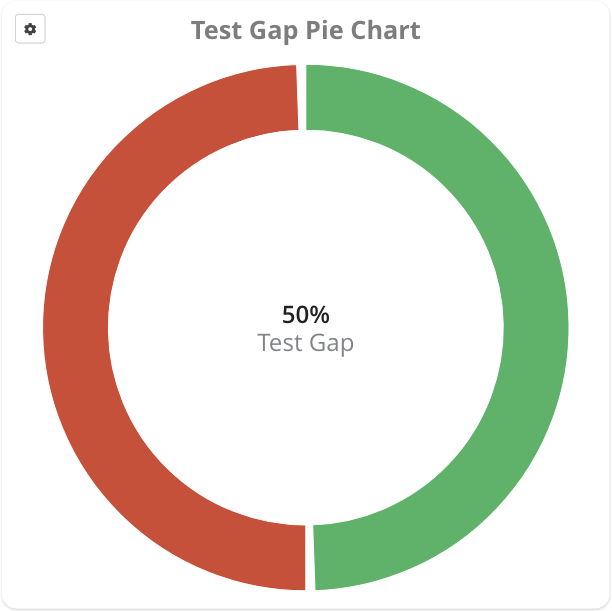
- The new Test Gap Pie Chart dashboard widget shows an aggregated view of test gap analysis with the same options as the TGA treemap, making it easier to compare the test gap of multiple parts of a system at a glance.
- The analysis profile version history page now has an Edit button that opens the profile directly in the editor, so you no longer have to navigate back to the Analysis Profiles list to make changes.
- The method-based treemap widget now supports toggling the statistics summary on or off via a Show summary option, consistent with the issue-based treemap widget.
- When editing a dashboard, dragging a widget to the top or bottom border now triggers automatic scrolling, making it easier to move widgets across long dashboards in a single drag.
- Each project now gets a Start Revision baseline by default, pointing to its first commit. The baseline is created on project creation and updated on re-analysis, so you can view trends since the start of the project without creating a baseline manually.
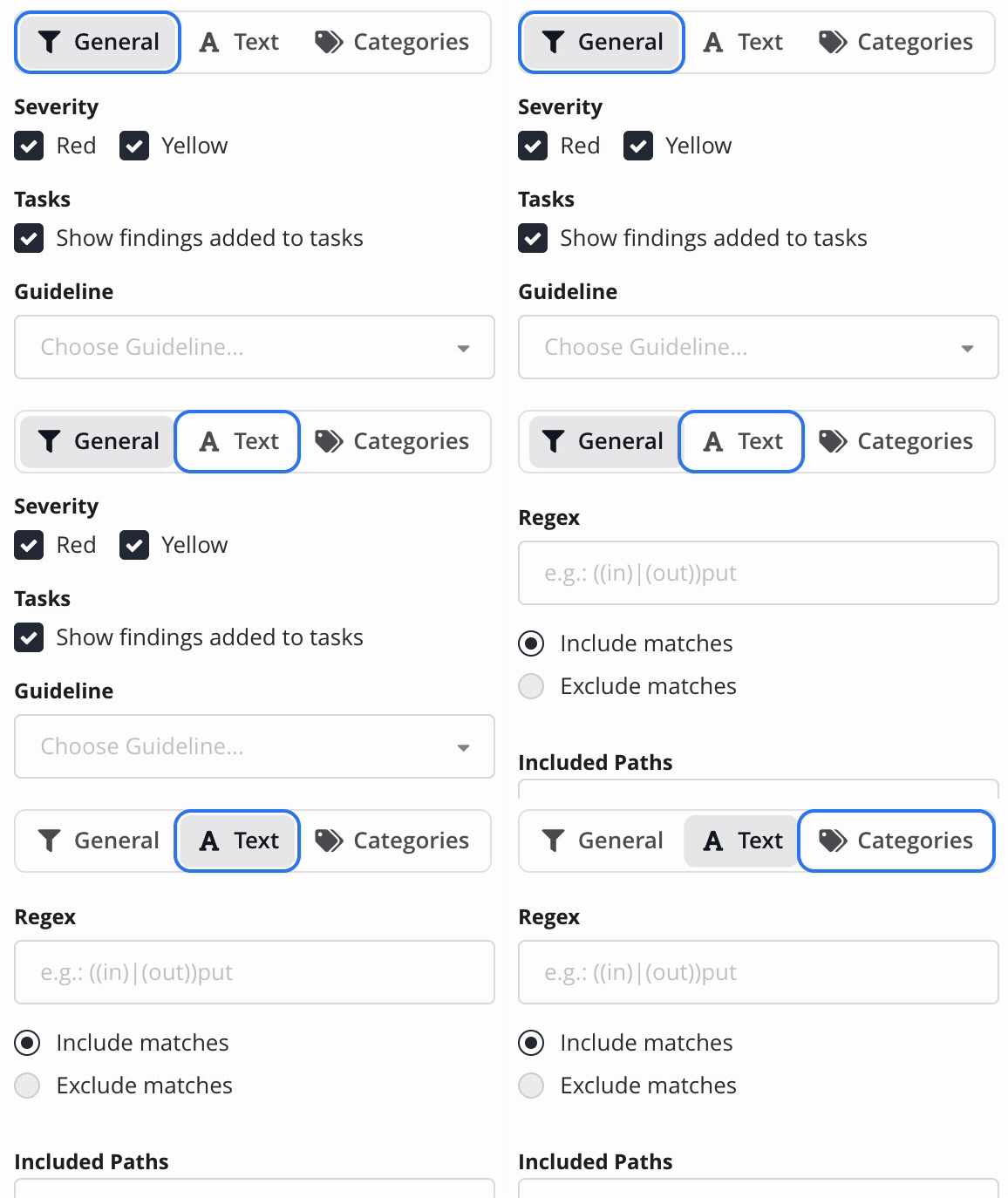
- The Tabs component in the Web UI has been visually improved and received support for keyboard navigation.
Analysis
- Rust has been added to the list of supported languages. This initial release provides basic support, including structural analysis, clone detection, and a set of basic checks. Teamscale also extracts
#[test]functions as test cases and can importcargo testandcargo-nextestexecution results, enabling requirements tracing for Rust projects. Support for additional Rust checks is planned for upcoming releases.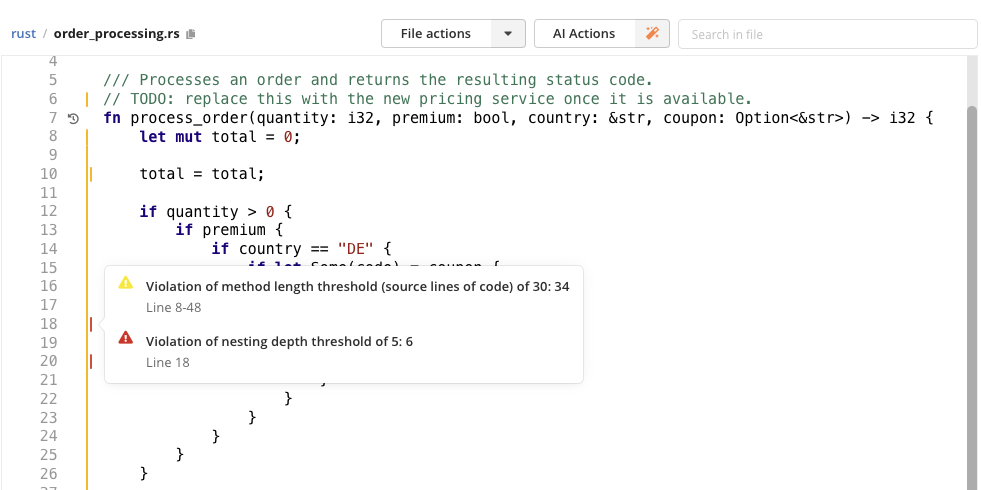
- Simulink: Added analysis support for the Matlab R2026a format.
- Java: Added support for compact source files with instance main methods (JEP 512), introduced in Java 25.
- C#: Added support for C# 14 language features, such as extension members, the
fieldkeyword in property accessors, and null-conditional assignment.
New Checks & Check Options
- ABAP: New "Missing AUTHORITY-CHECK in CDS behavior definition" check flags RAP BDEFs that miss
AUTHORIZATION MASTER/DEPENDENTor whoseAUTHORIZATION MASTERentities lack a workingFOR INSTANCE/FOR GLOBAL AUTHORIZATIONhandler in their implementation class. - C/C++: New option for the "Unused Variable or Parameter" check to treat user-specified type names as RAII scope guards, suppressing false positives for project- or library-specific scope guard types (e.g.
QScopedValueRollback). - C/C++: New check that reports
#includedirectives whose casing does not match the resolved file name (e.g.#include "CustomClassNames.h"resolving toCustomClassnames.h). Such mismatches compile on case-insensitive file systems but break case-sensitive ones. - Java, C#: The "Method and class field have the same name" check now permits matching names if they use common boolean prefixes (
is,has,can,should) to improve readability. - Java: New option for the "Java features should be preferred to Guava (java:S4738)" check to allow Guava's immutable collection types (
ImmutableList,ImmutableSet,ImmutableMap), whose immutability is visible in the type unlike the Java equivalents. - Java: The "Avoid unused private fields" check now considers the access level of generated Lombok getters and setters. Fields whose Lombok accessors are private (
AccessLevel.PRIVATE) are reported as unused when they are not used within the class, since such accessors do not expose the field elsewhere.
ABAP
- Added an Open in external Editor option for a selected ABAP code line, so that you can quickly jump to the correct location in Eclipse ADT when working on a longer ABAP class.
- ABAP Test Cockpit (ATC) check descriptions are now retrieved from your connected SAP systems and shown in the Check Explorer, the finding details view, and the Eclipse plugin. Previously these descriptions were not available in Teamscale, so you can now better understand what an ATC check reports without switching to your SAP system.
Administration & Operation
- Duration fields in the settings UIs (e.g. the polling interval for a project connector) now accept a unit-aware syntax such as
1d,10m, or30s, making the unit explicit and self-documenting. - External reports can now be uploaded to Teamscale by specifying a Git tag, in addition to a timestamp or commit revision. This helps build systems that operate on Git tags rather than commit revisions.
- A distinct permission, Approve Pending Violation Exclusions, has been introduced to approve or reject pending software composition (SCA) violation exclusions. Previously this was gated by the "Approve Pending Red Finding Exclusions" permission; it now has its own permission, allowing more granular assignment of approval responsibilities.
- The custom log configuration now supports an optional regex filter. When set, only log messages matching the regular expression are stored, making it easier to focus logs on the events you care about.