
Update Notices for Teamscale 2026.2
Teamscale 2026.2 is now available
- The Docker image
cqse/teamscale:2026.2.0is now available on Docker Hub - You can also download Teamscale as a ZIP archive here
2026.2 Removed AllowAll Authenticator
For security reasons, the AllowAll Authenticator has been removed with version 2026.2.
2026.1 Java 25 Required (Teamscale server application)
Starting with version 2026.1, the Teamscale server will require Java 25 to be executed.
Action required: In case you are not using a Docker-based deployment, please make sure to update the JRE used for executing Teamscale to Java 25.
2025.9 Removed Base Configuration for Threshold Configurations
The ability to define a Base Configuration for a Threshold Configuration has been removed with version 2025.9.
2025.9 Removed the movetolastcommit query parameter in all 'External Analysis' API endpoints
The movetolastcommit parameter was no longer needed and has been removed with version 2025.9 to avoid confusion for all the 'External Analysis' API endpoints:
- Create a Session:
POST /api/projects/{project}/external-analysis/session - Upload External Report(s):
POST /api/projects/{project}/external-analysis/session/{sessionId}/report - Upload External Analysis Data:
POST /api/projects/{project}/external-analysis/session/{sessionId}/external-analysis-import-infos - Upload External Findings:
POST /api/projects/{project}/external-analysis/session/{sessionId}/external-findings - Upload External Metrics:
POST /api/projects/{project}/external-analysis/session/{sessionId}/external-metrics - Upload Non-code Metrics:
POST /api/projects/{project}/external-analysis/session/{sessionId}/non-code-metrics
2025.7 Removed SPCop Upload Format
The SPCop upload format has been completely removed with version 2025.7.
2025.5 Removed Legacy API: Pre-Commit 2 REST API
The pre-commit 2 REST API, unused by Teamscale's own IDE plug-ins since version 9.3, has been completely removed with version 2025.5.
Action required: If you are using the API to make pre-commit requests, either update to the new /api/projects/{project}/pre-commit3 REST API or, preferably, use the command-line client for developers (teamscale-dev) to perform your requests.
2025.4 Removed feature: Timespan-based threshold configurations
The Timespan-based threshold configurations section of the "Threshold Configuration List" project option has been removed, as this functionality caused inconsistencies when combined with certain other features and was rarely used. This change does not affect the project's default threshold configuration.
Re-Analysis when Upgrading
- When updating from 2026.2.x, drop-in.
- When updating from 2026.1.x or earlier, a full re-analysis via backup is required.
What's New for Teamscale 2026.2
Web Interface
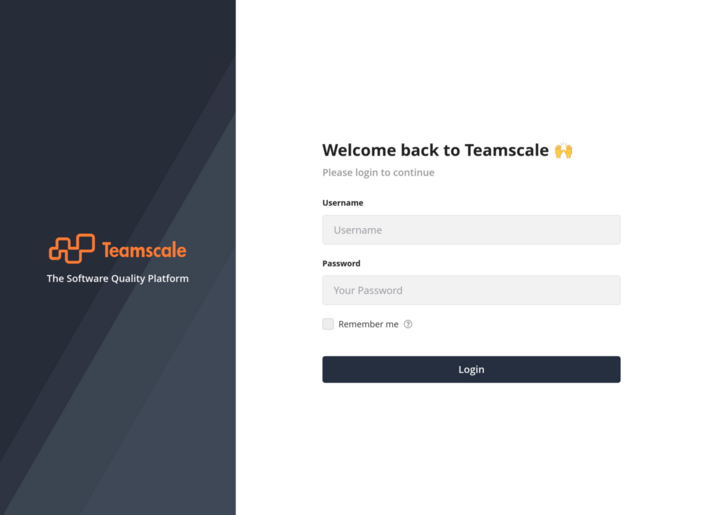
Visual Overhaul of the Login Screen
The login screen has been updated to provide a more modern appearance that better matches the overall Teamscale UI. The refreshed design features updated color schemes aligned with Teamscale's design language and a cleaner layout with improved visual hierarchy.
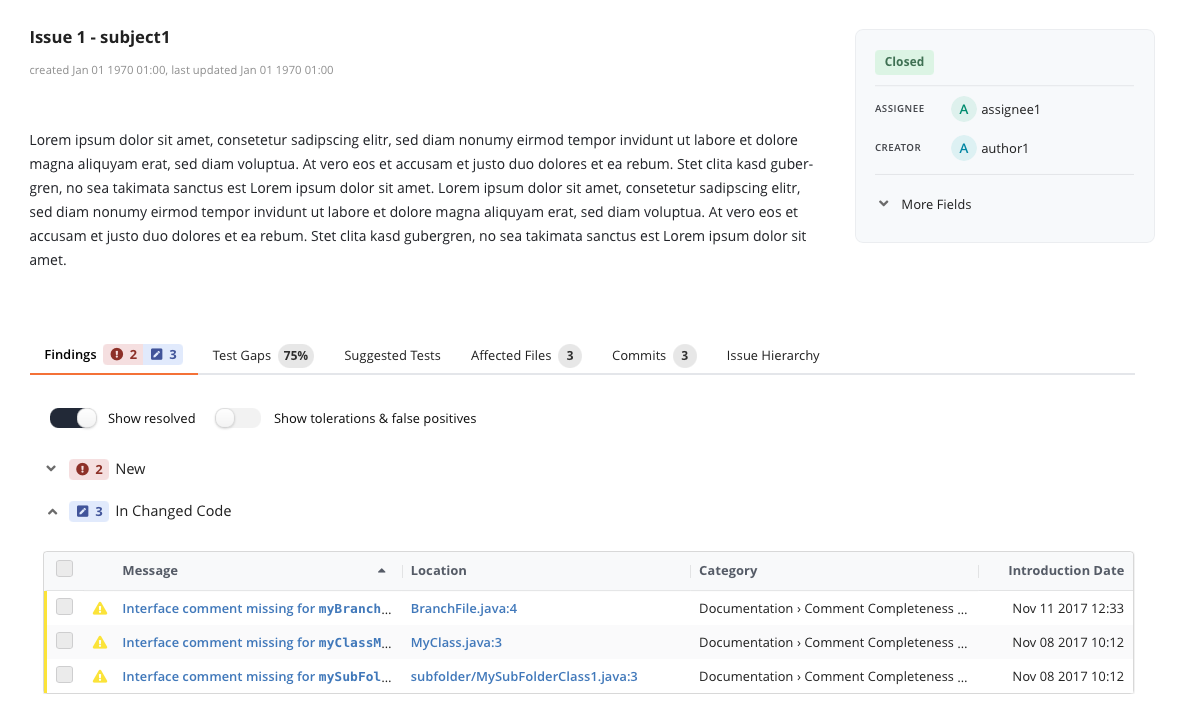
Redesigned Issue Details View
The Issue Details view has been completely redesigned for an enhanced user experience focusing on the most relevant data. Key capabilities include:
New tab-based layout for improved organization of issue data
Clearer presentation of commit identifiers that correspond to those in your VCS
Enhanced visibility of test coverage and findings associated with issues
Streamlined access to related artifacts and linked items
Personal Tasks on Teamscale Start Page
The personalized Start page now displays unresolved Tasks assigned to the current user, providing a centralized view of pending work items directly from the Teamscale home screen.
This enhancement helps developers and team members staying on top of their assigned tasks without navigating through multiple project views, streamlining the daily workflow and improving task visibility across projects.

User Experience Improvements
- Test Intelligence: Cross annotations of test coverage data sources can now be configured to only show relevant projects.
- Guideline Summary Widget: Guideline rules that are not applicable to the programming languages of the project are now greyed out, allowing users to focus on rules that are relevant to their specific project context.
Quality Control: Reports
- Introduced a new Hide Slide option that allows users to exclude specific slides from reports without deleting them. Hidden slides remain visible and editable in the report editor but are automatically omitted from presentation and print modes.
- Slide callouts now support markdown providing a flexible way to customize formatting and appearance of the callout's text.
Jira Integration
- The Jira Issue Connector now supports filtering by issue types, allowing users to import only relevant issues.
Static Analysis: Swift Support
Teamscale now supports new the language features introduced with Swift 6.2, ensuring comprehensive and correct analysis
This includes support for new syntax constructs such as closures in pack expansion expressions, the isolated parameter, ~Copyable for suppressing the Copyable protocol, and for-in loops with pack expansion expressions.
New Checks
ABAP
- New "Missing access control for exposed CDS view" check
C/C++, Objective-C/C++
- New "Enforce predefined order of conditions in conditional compilation" check
Plugins & Integrations
Command-Line Clients
- The teamscale-build CLI can now be installed with homebrew using our custom homebrew tap.
- teamscale-dev now has a verify-configuration command to sanity check your project configuration.
JavaScript Profiler
The JavaScript Profiler has now completed the public beta phase and version 1.0 has been released. Enhancements include:
- Ease of deployment has been greatly improved, even in complex deployment scenarios
- Integration with Teamscale's profiler configuration mechanism has been added
Administration & Operation
Prometheus Webhook Monitoring
Teamscale now includes a new Prometheus metric for monitoring webhook health in Bitbucket Data Center, identifying projects with potential webhook issues by tracking the frequency of events compared to expected activity.
This feature helps operators detect missing or failing webhooks, reducing reliance on manual checks and ensuring timely processing of commits in Teamscale.
SAP Configuration
- Newly created SAP connections now have pre-configured polling schedules set by default to ensure code changes are retrieved regularly.
- The System Overview page now shows connected SAP systems along with version information.
Project Configuration
- When configuring projects with multiple repository connectors, the Prepend repository identifier option will now be automatically set.
- Project configurations using an outdated analysis profile are now highlighted with a visual indicator and a tooltip hinting at the required re-analysis.